Saturday, November 12, 2022

Remove OneDrive from File Explorer

To Unlink OneDrive:

You won't lose files or data by unlinking OneDrive from your computer. You can always access your files by signing in to OneDrive.com.

Windows

  1. Open OneDrive settings (select the OneDrive cloud icon in your notification area, and then select the OneDrive Help and Settings icon  then Settings.)

  2. Go to the Account tab.

  3. Select Unlink this PC.

Sunday, July 3, 2022

Google Chrome thinks I'm in another Country

Check in Search Settings that your Region is set specifically to your country (not "Current Region").
 
If the issue persists, you can use this form to report the problem direct to Google.

Thanks to:
Creative Commons License This work is licensed under a Creative Commons Attribution-NonCommercial-NoDerivs 3.0 Unported License. This post has been scraped in violation of that license if you are reading this post on other than http://www.digital-qa.blogspot.com/.

Friday, March 12, 2021

Import photos and videos from an iPhone to PC (works great!)

Import photos and videos from an iPhone to PC

Transfer photos from an iPhone to your PC.

First, connect your iPhone to a PC with a USB cable that can transfer files.

  1. Turn your phone on and unlock it. Your PC can’t find the device if the device is locked.

  2. On your PC, select the Start  button and then select Photos to open the Photos app.

  3. Select Import From a USB device, then follow the instructions. You can pick the items you want to import and select where to save them. Allow a few moments for detection and transfer.

Make sure the photos you want to import are actually on the device rather than in the cloud. Then, follow the steps for your type of device.

Source: https://support.microsoft.com/en-us/windows/import-photos-and-videos-from-an-iphone-to-pc-2e4e4db4-4c3d-041c-b88f-3ee4358dd95e


Creative Commons License This work is licensed under a Creative Commons Attribution-NonCommercial-NoDerivs 3.0 Unported License. This post has been scraped in violation of that license if you are reading this post on other than http://www.digital-qa.blogspot.com/.

Thursday, February 11, 2021

How to Stop Google from asking if you want to Use your Google Account to Sign in to other Apps or Services

You can disable these prompts from your Google account's permissions page:

This should take you to your own permissions page:

Or go into your Google Account Settings > Security Tab. Here you'll find a section "Signing in to other sites". Select the "Signing in with Google" link to get to your permissions site.

Toggle off "Google Account sign-in prompts" to disable these prompts across the web.

🚀

Creative Commons License This work is licensed under a Creative Commons Attribution-NonCommercial-NoDerivs 3.0 Unported License. This post has been scraped in violation of that license if you are reading this post on other than http://www.digital-qa.blogspot.com/.

Wednesday, February 10, 2021

How to Change Default Currency Setting in Google Sheets

This setting is not where you think it should be!

To change the default currency setting to USD in Google Sheets: Click File > scroll down to Spreadsheet Settings > General > Locale.


Creative Commons License This work is licensed under a Creative Commons Attribution-NonCommercial-NoDerivs 3.0 Unported License. This post has been scraped in violation of that license if you are reading this post on other than http://www.digital-qa.blogspot.com/.

Tuesday, October 13, 2020

How to fix XBOX No Longer Recording - Error 2184328729

To fix XBOX No Longer Recording - Error 2184328729 on your PC:

This error means you do not have enough room to record any more videos. Delete old videos or move them to a different drive. If you delete videos, BE SURE TO EMPTY THE RECYLCE BIN TOO!

This worked for me, after I emptied the recycle bin... :)


Creative Commons License This work is licensed under a Creative Commons Attribution-NonCommercial-NoDerivs 3.0 Unported License. This post has been scraped in violation of that license if you are reading this post on other than http://www.digital-qa.blogspot.com/.

Monday, October 12, 2020

Stop Excel from Flashing "CALCULATING" Continuously

If your Excel spreadsheet constantly flashes "CALCULATING" in the bottom status bar, it's possible calls are being made out to a third party. This happened to me when I realized calls to get stock quotes were pinging every 10 seconds or so. To remedy that I created a helper cell. When the value in that cell is "1", calls are made. If not "1" no calls are made.

Thus for example, my TDA Ameritrade call script to get a stock quote looks like this:

        =IF($A$1=1,RTD("tos.rtd",,"LAST",A2),"Not live")

When cell A1 = 1, quotes are updating
When cell A1 does not = 1, "Not live" is displayed

One final note: If you have multiple spreadsheets open, the spreadsheet that's flashing "CALCULATING" is not necessarily the one with the live script, so close them all and work on them one at the time.


Creative Commons License This work is licensed under a Creative Commons Attribution-NonCommercial-NoDerivs 3.0 Unported License. This post has been scraped in violation of that license if you are reading this post on other than http://www.digital-qa.blogspot.com/.

Sunday, October 11, 2020

Pair AirPods with PC - This works!

I always miss one step when trying to pair my AirPods with my PC, so I'm capturing these instructions here. If you don't see your AirPods listed when you are trying to pair them via Bluetooth with your PC, there's likely one step below you are missing. Try again! :)

Pair AirPods with PC

  1. On your PC, go to the settings for Bluetooth and make sure that Bluetooth is on (Windows Key + S, type in "Bluetooth and other devices settings")
  2. Click the "+" button at the top to "Add Bluetooth or other device", then Click "Bluetooth Mice, keyboards, pens or audio and other kinds of Bluetooth devices"
  3. With your AirPods in the charging case, open the lid.
  4. Press and hold the setup button on the back of the case until you see the status light flash white.
  5. When your AirPods appear in the list of Bluetooth devices, select them.

AirPods should now be paired.


Creative Commons License This work is licensed under a Creative Commons Attribution-NonCommercial-NoDerivs 3.0 Unported License. This post has been scraped in violation of that license if you are reading this post on other than http://www.digital-qa.blogspot.com/.

Monday, July 6, 2020

AirPods Pro are Paired and Connected, but no sound on PC

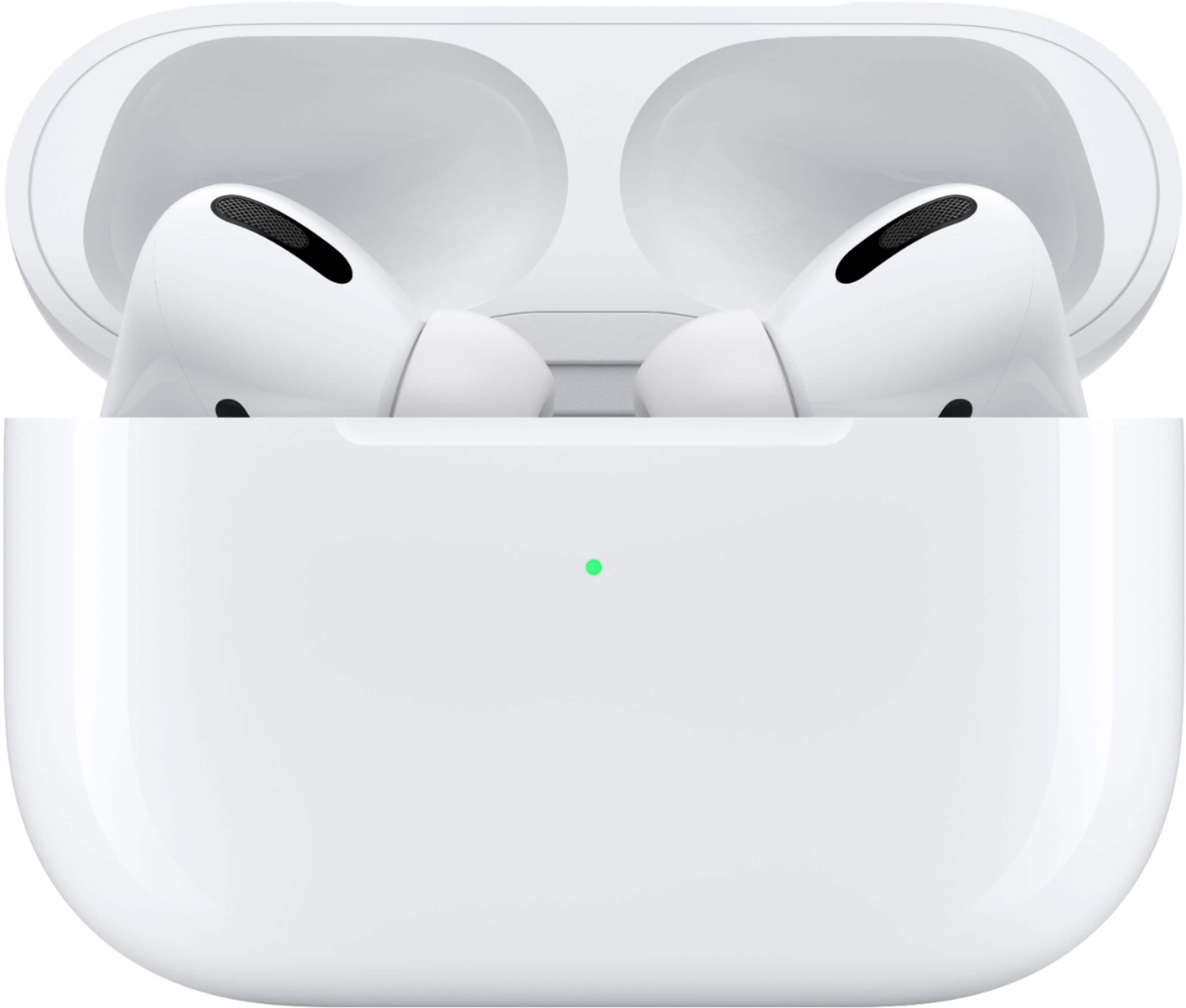
AirPods Pro are Paired and Connected, but no sound on PC, check this:

Windows Key + S
Type in: Sound
Select: Sound Settings
Under Output select: Headphones (AirPods Pro)


Zoom in on Alt View Zoom 12. Apple - AirPods Pro - White.


Creative Commons License This work is licensed under a Creative Commons Attribution-NonCommercial-NoDerivs 3.0 Unported License. This post has been scraped in violation of that license if you are reading this post on other than http://www.digital-qa.blogspot.com/.

Tuesday, May 12, 2020

iPhone Photos not syncing to iCloud

Photos you took on your iPhone are not appearing in iCloud. Check that your iPhone is not in Battery Save mode:

General/Settings/Battery/Low Power Mode


Creative Commons License This work is licensed under a Creative Commons Attribution-NonCommercial-NoDerivs 3.0 Unported License. This post has been scraped in violation of that license if you are reading this post on other than http://www.digital-qa.blogspot.com/.

Friday, February 28, 2020

Disable Dangerous Lenovo Touchscreen

Disable Lenovo touchscreen

You must uninstall Lenovo touchscreen because it will start placing trades for you in your trading programs. No joke. Dangerous. The problem is that you have to keep uninstalling it because every time Windows updates it adds it back. Arghhh.

  1. Open Device Manager by pressing the Windows key + X.
  2. Under Human Interface Devices, look for HID-compliant touch screen
  3. Right click on this option and choose Uninstall.
Old notes:
Follow these steps
a. Winkey + Q.
b. Type Control Panel.
c. Go to Hardware and Sound.
d. Pen and touch (this will be gone if you uninstalled touch screen above, Remove it)


Sunday, December 2, 2018

How Karen the Supertrader Blew Up Her Accounts

There's nothing wrong with trading Naked Puts, but Karen the Supertrader did what almost every novice naked option trader does: If your position size is too high, you too will blow up your account.

Selling Naked Puts like Karen the Supertrader:

Suppose you sell a naked put for $1.00. Then the stock goes down and now that put trades for $2.00. So instead of showing a loss of $1.00, you roll that option out in time for let's assume a net of $0.50. So where you had a loss of $1.00 ($2.00 less $1.00), you're now showing a gain of $0.50 (-$2.00 to buy back the NP and +$2.50 to sell the new NP). So while you're actually losing money on the underlying position, you're showing a gain by rolling that position out in time. With Karen taking commissions on the "gain" of $0.50, she's taking credit for a gain that may never be realized, or worse.

If you can keep rolling this position long enough, you may be able to get out of the position without a loss even if the stock never goes back up. But if you are highly leveraged and your position size is too high, you can quickly blow up your account when the stock swoons and you too can't meet your margin calls.

This is what happened to Karen the Supertrader. Margin calls came in on the leveraged positions, and she could not meet those calls. She could not hold on to those positions long enough to hopefully see a reversal in the underlying.

Naked options by themselves are not a bad thing. The problem is leverage and position sizing. I don't use leverage when trading Naked Puts.

Creative Commons License This work is licensed under a Creative Commons Attribution-NonCommercial-NoDerivs 3.0 Unported License. This post has been scraped in violation of that license if you are reading this post on other than http://www.digital-qa.blogspot.com/.

How to turn off "Microsoft Account Problem" Notice

Here's how to stop the "we need to fix your Microsoft" pop-ups on your PC:

Go to: Settings/System/Shared Experiences and turn off "Share across devices"

Creative Commons License This work is licensed under a Creative Commons Attribution-NonCommercial-NoDerivs 3.0 Unported License. This post has been scraped in violation of that license if you are reading this post on other than http://www.digital-qa.blogspot.com/.

Automatically Start Photo Import when iPhone Connected

To automatically start photo import when iPhone is connected to your PC, change settings here:

Go to Settings/Devices/AutoPlay and under iPhone select: Import photos and videos (Photos).

Creative Commons License This work is licensed under a Creative Commons Attribution-NonCommercial-NoDerivs 3.0 Unported License. This post has been scraped in violation of that license if you are reading this post on other than http://www.digital-qa.blogspot.com/.

Saturday, April 28, 2018

How to get Missing Notes back onto iPhone

Wow, this worked.

If all your notes are missing from your iPhone, and you have a lot of notes in iCloud (I have ~25), in order for those to reappear on your iPhone, your iPhone MUST be connected to WiFi.

Once all those notes reappear, and you're only adding a note here and there, they should sync fine when you're not connected to WiFi.

So bottom line, if all your notes are gone, connect to WiFi and they should reappear on your phone.

It took escalation through 4 technician levels at Apple to resolve this issue today.

UPDATE 7/10/2018:

This still doesn't work most of the time.
Apple's support page for this issues doesn't help: https://support.apple.com/en-us/ht204051

iPhone simply loses the ability to see some networks. My PC see's the network (and I'm connected to it as I type this), I'm sitting within 1 foot of my router, restarting the router doesn't help, and resetting Network Settings (Tap Settings; General; Reset; Reset Network Settings) doesn't work either. That's all they've got.

Frustrating to be out shopping, open your iNotes to view yours lists, and see iNotes haven't been updated in ages.

Note that the calendar and other apps are working just fine (they don't need the inconvenience of having to connect to the cloud to update).

Is there a better Notes app out there? Will look but please send suggestions, thanks!


Creative Commons License This work is licensed under a Creative Commons Attribution-NonCommercial-NoDerivs 3.0 Unported License. This post has been scraped in violation of that license if you are reading this post on other than http://www.digital-qa.blogspot.com/.

Wednesday, September 13, 2017

How to stop delay in Excel when moving from cell to cell

To remove the delay in Excel when typing or moving from cell to cell, this worked for me:

File menu > Options command > Advanced option > Display section > turn on “Disable hardware graphics acceleration”

Microsoft has added some type of unnecessary animation, and it appears this turns that off.

This also worked:

Disable Animations:
  1. Click Start.
  2. Click Control Panel.
  3. Click Ease of Access.
  4. Click Ease of Access Center.
  5. Click Make the computer easier to see.
  6. Click Turn off all unnecessary animation (when possible) to check the checkbox.
  7. Click Apply.

Creative Commons License This work is licensed under a Creative Commons Attribution-NonCommercial-NoDerivs 3.0 Unported License. This post has been scraped in violation of that license if you are reading this post on other than http://www.digital-qa.blogspot.com/.

Sunday, September 3, 2017

Canon PowerShot S95: Remove Review Info that shows after taking Picture

Canon PowerShot S95: Remove Review Info that shows after taking Picture

This was tough to find!

Select Menu
Scroll down to Review Info: Off


Creative Commons License This work is licensed under a Creative Commons Attribution-NonCommercial-NoDerivs 3.0 Unported License. This post has been scraped in violation of that license if you are reading this post on other than http://www.digital-qa.blogspot.com/.

Saturday, August 5, 2017

Confirm these settings to have Microsoft Edge remember Passwords

If Microsoft Edge is no longer saving your username and password, confirm these settings under Settings / Clear browsing data "choose what to clear".

Be sure "Cookies and saved website data" is unchecked:


Creative Commons License This work is licensed under a Creative Commons Attribution-NonCommercial-NoDerivs 3.0 Unported License. This post has been scraped in violation of that license if you are reading this post on other than http://www.digital-qa.blogspot.com/.

Thursday, April 20, 2017

Disable Sleep Key in Windows 10

Here's how to disable that pesky sleep button (mine looks like a half moon):
  1. Go to: Control Panel\Hardware and Sound\Power Options\Edit Plan Settings
  2. Click: "Change advanced power settings"
  3. Select: "Power buttons and lid"
  4. Click: "Sleep button action" and change "Setting" to "Do Nothing"

Version: Windows 10


Sunday, March 26, 2017

Delete Duplicate Wireless Networks

To remove duplicate WiFi networks:
  • Go to Start ("Search Windows" box) and type: "Settings"
  • Click "Settings"
  • Click "Network & Internet"
  • Select "Wi-Fi"
  • Select "Manage Known Networks"
  • Click on the network you want to delete, and click "Forget"
Duplicate networks often appear because you've changed your WiFi Password or SSID. They should be removed.

Note these instructions are for Windows 10 Home edition.


Creative Commons License This work is licensed under a Creative Commons Attribution-NonCommercial-NoDerivs 3.0 Unported License. This post has been scraped in violation of that license if you are reading this post on other than http://www.digital-qa.blogspot.com/.

Related Posts Plugin for WordPress, Blogger...